AI for Travel Content Creators: Best Tools for Vloggers & Destination Creators
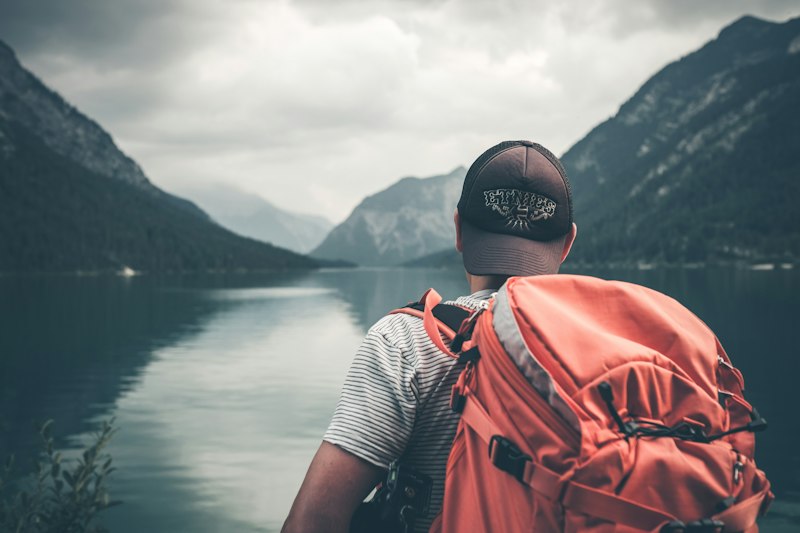
Travel content creation is unlike any other niche. You're juggling drone footage, massive amounts of raw video, location scouting pressure, and the need to make 15 destinations look fresh and unique. That's where AI comes in.
Whether you're a full-time travel vlogger grinding out weekly uploads or a destination creator building your own location brand, AI tools can cut your editing time in half, generate engaging scripts in minutes, and help you reach audiences in languages you don't even speak.
This guide covers the exact tools we recommend for travel creators. We're not talking about theoretical AI applications here. We're talking about what actually works when you're editing 4K drone footage at midnight before upload deadline, or when you need to turn a 40-minute hike footage into six social clips. Read our full guide on AI tools for specific creator niches for broader context on how AI fits into different creator communities.
Why Travel Creators Need AI (Beyond Just Saving Time)
Here's the honest truth: travel content creation is expensive and time-consuming. You're spending money on flights, accommodation, and gear. You're often alone in unfamiliar places trying to set up shots and manage audio. Then you get home with terabytes of footage and face weeks of editing.
AI doesn't fix the fundamentals. You still need to actually go to the destination. You still need good cinematography. But AI handles the grunt work that kills your momentum.
The real advantage for travel creators comes down to three things. First, speed. AI auto-captions save you hours per video. Second, scale. You can repurpose one long-form video into six short-form clips across platforms without doing it manually. Third, reach. AI translation and multilingual captions open up international audiences instantly.
Travel vloggers making $20K monthly aren't faster videographers than everyone else. They've just automated away all the tedious parts of production so they can focus on being in front of the camera and finding the next destination.
Best AI Tools for Travel Video Editing
Video editing is where travel creators spend the most time. One 12-minute vlog can take 20-30 hours to edit if you're doing it manually. AI changes that equation entirely.
CapCut: The Speed Champion for Travel Creators
CapCut is the default tool for travel creators right now. Why? It's free, it's fast, and the AI features are genuinely useful for your specific workflow.
The auto-caption feature alone justifies using CapCut. Film your travel vlog, dump it into CapCut, and within seconds you have accurate captions for your entire video. No manual transcription. No sitting through your footage word by word.
But there's more. CapCut's AI-powered scene detection automatically identifies cuts, transitions, and pacing breaks. When you're editing drone footage mixed with ground-level shots, this saves serious time. The app recognizes when the visual energy drops and suggests cut points. You're not starting from zero every time.
Auto-zoom and zoom-in effects work surprisingly well for travel content. You can apply them to specific scenes where you want emphasis. Pan and zoom transitions between destination shots feel natural when they're automated correctly.
CapCut
Free video editor with AI auto-captions, scene detection, and auto-effects
The limitation: CapCut's color grading is basic. If you're shooting in flat profiles and want cinema-grade color work, you'll still need DaVinci Resolve or Premiere Pro. But for travel vlogging that prioritizes authenticity over color science, CapCut handles 80% of your edit in half the time of traditional editors.
Runway ML: Professional Effects Without Professional Rendering Time
Runway ML is where you go when CapCut's basics aren't enough. This tool uses generative AI for effects that would normally require hours of manual work or expensive plugins.
For travel creators, the standout features are background removal and green screen replacement. You shot amazing drone footage but the sky was flat. Runway can regenerate the sky intelligently. You filmed a talking-head piece but didn't have a good background. Runway can generate an appropriate backdrop based on your destination theme.
Object removal is another winner. That random tourist walked into your perfect shot. Runway removes them cleanly. That power line cuts across your sunset timelapse. Gone. These aren't perfect every time, but they work well enough that you're saving hours of rotoscoping in After Effects.
For drone footage specifically, Runway's motion interpolation creates smooth slowmo from standard footage without losing quality. When you're working with GoPro footage mixed with drone shots, the FPS inconsistencies matter. Runway evens it out.
Runway ML
AI-powered video effects platform for background removal, object removal, and upscaling
Real limitation: it's not free. Runway costs $10-100 monthly depending on your processing needs. For serious travel creators, it's worth it. For hobby creators, test it on a few videos first.
Want to compare CapCut vs. Runway directly?
Both tools are workflow staples but solve different problems. See our full side-by-side breakdown to decide which fits your channel.
View ComparisonAI for Travel Photography & Thumbnails
Thumbnails make or break travel content. A flat landscape shot of a destination doesn't grab clicks. A thumbnail with bold colors, your shocked face, and a clear focal point does.
Most travel creators use Canva, but Canva AI has leveled up. The text-to-image generation is useful for creating custom background elements. You can describe what you want, and Canva generates options instantly.
But here's where travel creators get smart: use Canva AI to generate variations of the same thumbnail concept. You're testing audience preferences across destinations. Canva can generate five versions of a "shocked at price" thumbnail with different color schemes and layouts in minutes.
For photo enhancement, tools like Adobe Express AI and Upscayl handle the common travel photography problems. Shot in low light at a temple? Denoise it. Have a 720p B-roll shot that doesn't match your 4K primary footage? Upscale it to 1080p or 2K. These aren't perfect, but for background plates and B-roll, they work.
Canva AI
AI-powered design platform with text-to-image generation and layout suggestions
AI for Travel Script Writing & Captions
Good travel scripts are conversational, specific, and paced for video. Bad travel scripts feel like Wikipedia articles read aloud. AI helps you write the good kind.
ChatGPT and Claude are your scriptwriting tools here. Here's the formula that works: give the AI specific details about what you filmed, key moments, and your personality style, then ask it to write a conversational script.
Example prompt that actually works: "Write a 500-word travel vlog script about a hiking trip to [location]. I filmed the sunrise, a difficult climb section, and the view at the top. My style is casual and honest. Include moments where I'm tired, one funny incident with my gear, and genuine reflection about why this hike mattered. Make it conversational like I'm talking to a friend."
The AI won't write your script perfectly. But it gives you 70% of the way there. You'll add personality, adjust pacing, and inject your real experiences. This is infinitely faster than staring at a blank page.
For captions, Descript is the travel creator's secret weapon. This tool transcribes your entire video, then lets you edit the text and see the video edit in real-time. Remove a sentence from the transcript, and Descript removes it from the video too. No jumping back and forth between timeline and transcript.
Descript also handles pacing adjustments. Travel vloggers often have dead air, rambling sentences, or moments where the energy drops. Descript identifies these and suggests cuts. You approve them, and suddenly your tight 12-minute edit tightens down to 10 minutes without any weird jump cuts.
Descript
AI transcription and editing platform that lets you edit video by editing text
AI for Travel Social Media & Scheduling
Travel creators need presence across YouTube, TikTok, Instagram, and YouTube Shorts. You can't manually edit six different versions of the same travel footage. That's where AI repurposing comes in.
Opus Clip is built for this exact problem. Feed it your long-form travel vlog, and it automatically extracts the best clips for short-form video. It identifies moments of high energy, key statements, and visual highlights. You get 8-15 ready-to-post clips from one 20-minute video.
This isn't just cropping to vertical. Opus Clip adds captions, adjusts pacing, and suggests hooks. The clips aren't perfect, but they're 80% of the way to publishable. You add your platform-specific optimization, maybe trim 5 seconds, and post.
For scheduling and caption adaptation, tools like ElevenLabs handle voiceover generation. You're creating content for a Spanish-speaking audience but only speak English? Write the script in English, let AI translate it, then use ElevenLabs to generate a natural-sounding Spanish voiceover. The automation isn't perfect, but it opens markets you couldn't reach manually.
For social posting, integrate AI tools into your workflow via Zapier or Make. Script automatic reposts across platforms. Use AI to generate caption variations for different audiences. A vlog about India gets one caption set for your English audience and AI-adapted versions for Spanish and Portuguese audiences automatically.
Repurposing travel content across platforms?
Check our guide comparing Opus Clip with other repurposing tools to maximize every minute of footage you shoot.
Explore Repurposing ToolsStep-by-Step AI Workflow for Travel Creators
Here's what a real AI-powered travel creator workflow looks like. This is not theoretical. Travel creators are using this exact sequence right now.
Pre-Production Phase
Before you even leave for your destination, start with ChatGPT or Claude. Give it your destination, the key experiences you're planning, and ask for script outlines and shot lists. The AI won't know your location better than you, but it helps you think through narrative structure. What's the beginning, middle, and end of your story in this place?
Use Canva AI to generate thumbnail concept variations. You have a vague idea of your design. Describe it to the AI, get 5 options, test which resonates with your audience before you even film.
During Production
This is where you focus on being a creator, not a technician. Shoot freely. Use multiple cameras or a mix of GoPro and phone footage. Don't worry about editing decisions while filming. AI will handle the technical heavy lifting.
Post-Production Phase (The AI Magic)
Step one: Ingest everything into CapCut. Upload your raw footage. Run the auto-caption feature. This gives you a complete transcript of your vlog instantly.
Step two: Use that transcript with ChatGPT to polish your existing audio or generate segment transitions. You have raw audio, CapCut transcribed it, now AI can suggest where natural breaking points are for scripted segments.
Step three: Color and effects pass with Runway ML. Has to remove a background? Does an object need removal? Is the lighting inconsistent between shots? Runway handles this.
Step four: Review and manual tweak. You're not doing 100% of the work anymore, you're doing maybe 20%. Fix the AI decisions that don't work, approve the ones that do.
Step five: Output and repurpose. Once your main YouTube video is done, feed it to Opus Clip for automatic short-form extraction. Generate variations with ElevenLabs voiceover for international versions. Schedule across platforms.
Total time from raw footage to six published videos across platforms: 6-8 hours instead of 40-50 hours. That's the AI advantage for travel creators.
Common Travel Creator AI Mistakes (And How to Avoid Them)
We've watched creators try to use AI incorrectly and waste time. Here are the mistakes that matter.
Trusting AI to Replace On-Camera Presence
This is the big one. AI can edit your footage. It cannot replace you actually being in the destination. Some creators think they can AI-generate travel content and it'll succeed. It won't. Your audience wants your genuine reaction to places. Use AI for the mechanical parts, not the creative core.
Over-Relying on Auto-Captions for Complex Words
CapCut and Descript are 95% accurate, but they will miss foreign place names, niche terminology, and pronunciations. Always do a final caption review. A wrong destination name kills credibility instantly.
Forgetting That Drone Footage Still Needs Skill
Runway ML makes drone footage smoother and more polished. But it doesn't make bad drone footage good. Shaky footage stays shaky. Boring angles stay boring. Learn to fly well first. Use AI to make good footage great, not to salvage bad footage.
Not Testing AI Tools on Non-Critical Content First
The travel creator's schedule is tight. Don't experiment with new AI tools on your main weekly upload. Test on community posts, YouTube Shorts, or lower-stakes content first. Get comfortable with the tools before trusting them with your primary content pipeline.
Underestimating Render Time for Complex AI Tasks
Runway ML object removal doesn't render instantly. Object removal on a 15-minute video can take 4 hours. Understand the time costs of each AI tool before committing to your workflow. Nothing kills a deadline like discovering your software needs to render overnight.
Forgetting the Human Touch
The most successful travel creators using AI don't let the tools fully automate their creative decisions. They use AI to speed up the mechanical work, then add their personal judgment on top. Your vlog is your voice. AI amplifies it, but shouldn't replace it.

"Descript cut my editing time from 25 hours to 8 hours per video. I wasn't replacing my creative process, I was automating the transcript management and pacing cleanup. That freed me up to actually think about storytelling instead of spending three days editing audio."
Frequently Asked Questions
What's the best AI tool for travel video editing?
CapCut is best for speed and ease of use. Runway ML is best if you need advanced effects like object removal or background replacement. For most travel creators, CapCut handles 80% of your workflow and Runway handles the remaining 20%.
Can AI write travel video scripts?
Yes, but not alone. ChatGPT and Claude can generate scripts based on your destination and experiences, but they need specific input from you. The formula that works: detailed context about what you filmed, your personality, and any specific moments you want highlighted. The AI creates a first draft, you add authenticity.
How do I make travel content in multiple languages with AI?
Use Descript or CapCut for auto-captions in your original language. For additional languages, feed the transcript to Google Translate API or use dedicated translation AI. For voiceovers, ElevenLabs generates natural-sounding audio in 20+ languages. For maximum reach, captions matter more than dubbed audio anyway.
Is AI good enough for professional travel content?
AI tools are professional-grade now. The limitation isn't the software, it's user skill. CapCut's outputs are comparable to Premiere Pro if you know how to use it. Runway's effects are comparable to After Effects. The difference is learning curve and feature depth, not quality ceiling.
How much does it cost to use AI tools for travel content?
CapCut is free. Runway starts at $10 monthly. Descript starts at $12 monthly. Canva Pro is $13 monthly. Your total investment is roughly $50-100 monthly if you use a full suite. Compare that to one freelance editor at $1500+ per video. The math is clear.
What if the AI makes mistakes?
All AI tools make mistakes. Auto-captions get words wrong. Object removal leaves artifacts. Background removal has halos around subjects. Your job is to identify and fix these in a final review pass. Set expectations with your audience appropriately. AI-created content should still hit your quality standards.

"I use Canva AI to generate 10 thumbnail variations in 10 minutes. I test three of them with my audience in stories, see which one gets the most engagement, and use that style for my main video. My CTR went up 18% once I started using AI for data-driven thumbnail design."
AI Travel Creator Workflow Tools Summary
Here's your quick reference toolkit. Bookmark this section and come back when you're starting a new project.
ChatGPT & Claude
Script generation and narrative planning for travel content
ElevenLabs
AI voiceover generation in 20+ languages for multilingual reach
The travel creator's advantage isn't being a better videographer. It's being smarter about where you spend your time. Spend time finding amazing locations and stories. Let AI handle the mechanical edit, the caption generation, the clip repurposing, and the asset creation. That's where the hours go for most creators. AI eliminates those hours.
The creators winning right now aren't trying to do everything manually. They're using tools to scale their output without scaling their team. That's the AI advantage for travel content, and it's real.

"Between CapCut, Descript, and Opus Clip, I went from uploading one video per week to three. Same amount of travel time, same production quality, three times the output. That's the real AI advantage. Not fancy effects. Throughput."