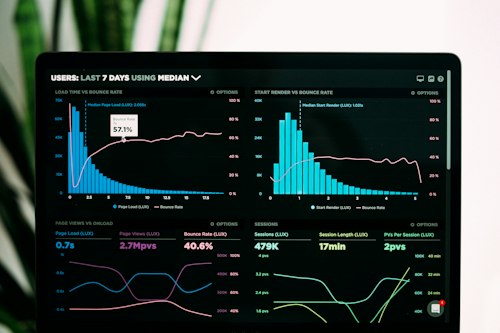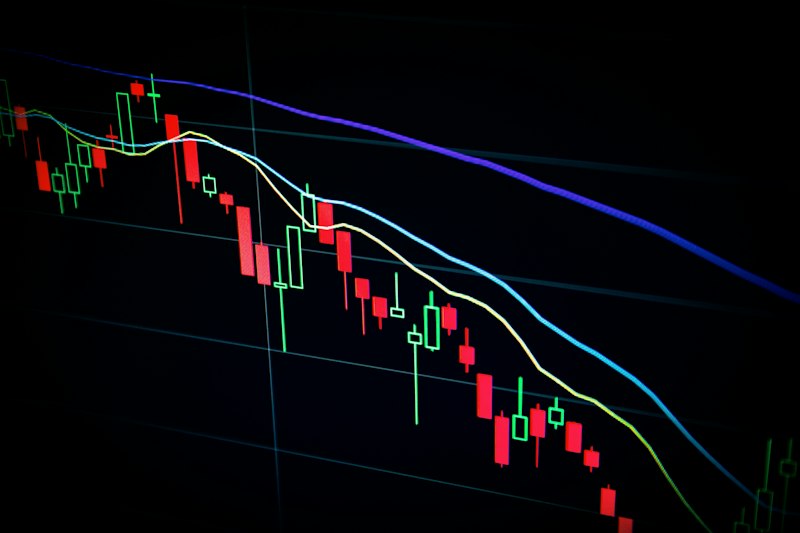
Here's a basic truth about finance content: people don't share boring charts. They share interesting visualizations that tell a story. A screenshot of raw market data gets zero engagement. The same data turned into an infographic that shows a clear insight gets shared hundreds of times.
This is where AI becomes a force multiplier for finance creators. You can take market data, earnings numbers, economic statistics, and turn them into visually compelling graphics in minutes instead of hours. Your competitive advantage isn't the data — it's the ability to visualize it in a way that makes people actually care.
First, read the complete AI for finance creators guide for context. This post goes deep on the visualization workflow specifically.
The visualization priority: Data that's visualized gets shared 3x more than text-based data. If you're not visualizing market data, you're leaving engagement on the table. AI makes this effortless.
Why Data Visualization Matters More Now
The finance content space is moving visual. TikTok finance creators are winning because they visualize numbers in 15-second clips. LinkedIn finance content that's visual gets 5x more engagement than text posts. YouTube finance creators are winning with on-screen graphics that make complex data simple.
But visualization is also time-consuming. It's why most finance creators skip it. They write a newsletter about earnings or market trends, but they don't turn it into graphics. They create content but don't visualize it for social platforms. They analyze data but don't create supporting charts.
AI tools eliminate that time cost. You can now spend 5 minutes creating a visual that used to take 30 minutes. That changes the equation entirely.
The Core Visualization Tools for Finance Creators
Canva AI — The Best Easy Option
Canva has become the standard for finance content creators because it has templates built specifically for financial content. You can create:
- Market data infographics
- Stock performance charts
- Economic indicator visualizations
- Earnings summary graphics
- Portfolio allocation pie charts
- Newsletter headers with data
The workflow is simple: you paste your data or numbers into Canva, it shows you multiple design options, you pick the best one, customize the colors to match your brand, and publish. The entire process takes 5-10 minutes.
Canva AI — Best for Quick Financial Graphics
Templates for every financial visualization. Paste data, get designs. Publish in minutes.
Python + ChatGPT — For Real-Time Automated Dashboards
If you're publishing daily market analysis with live data, Python (Matplotlib, Plotly) combined with ChatGPT is the right approach. Here's the workflow:
- Pull live market data from an API (Yahoo Finance, Alpaca, etc.)
- Use ChatGPT to write Python code that transforms the data into a chart
- Automate the process to run daily and publish automatically
This is more technical than Canva, but it gives you truly automated, real-time charts that update without manual work. Many finance creators use this for daily market dashboards they post to social platforms.
The learning curve is steep if you don't know Python, but ChatGPT makes it manageable. You tell ChatGPT "write Python code to pull S&P 500 price data for the last 30 days and create a line chart" and it generates working code.
Flourish — For Interactive, Embeddable Charts
If you're publishing interactive charts on your website or newsletter, Flourish is the best option. You can create interactive bar charts, line graphs, scatter plots, and map visualizations. Readers can interact with the chart, zoom in, filter data, etc.
This is particularly powerful for newsletter creators who want readers to explore data themselves rather than just looking at a static image.
The Finance Visualization Workflow
Quick Social Graphics (5-10 Minutes with Canva)
You're publishing a thread about today's market moves or stock performance. The workflow:
- Write your insight or analysis
- Extract the key data points (numbers, percentages, comparisons)
- Open Canva, paste the data into a template
- Pick the design option that best visualizes your insight
- Customize colors and branding
- Export and post to social media
This workflow takes 5-10 minutes and gets your analysis visual. Most finance creators would skip this step because it felt too time-consuming. AI makes it effortless.
Weekly Market Visualization Dashboard (30 Minutes)
You're creating a weekly market recap for your newsletter or YouTube audience. The workflow:
- Compile the week's key data points (market index moves, sector performance, economic data)
- Use ChatGPT to ask: "I have this market data [paste data]. Create a Python script that visualizes this as a dashboard."
- Run the Python script locally or in Google Colab
- Save the output and publish
This takes 20-30 minutes and creates a professional, data-driven visualization that most finance creators can't match.
Earnings Report Deep-Dive Visuals (40 Minutes)
You're analyzing a company's earnings report and want to create supporting visuals. The workflow:
- Read the earnings report and extract key metrics (revenue, EPS, margins, guidance)
- Create a comparison chart showing this quarter vs. previous quarters
- Create a breakdown of revenue by segment
- Create a visualization of forward guidance vs. current estimates
- Add all these to your YouTube script or newsletter as supporting graphics
Without AI, this takes 2-3 hours. With Canva AI or Python scripts, it takes 30-40 minutes. The result is dramatically more engaging content that your audience actually understands.
Content visibility rule: Data visualized gets shared. Data not visualized gets ignored. Pick your three most important insights each week and turn them into graphics. This alone will 3x your social engagement.
Advanced: Building Automated Daily Dashboards
Some finance creators have gone beyond manual visualization and built fully automated daily dashboards. Here's how:
The Setup
- Pull live market data from an API (Yahoo Finance, Polygon, Finnhub)
- Use Python to process the data and create charts
- Host the dashboard on a website or publish it to social media daily
- Use ChatGPT to write the Python code if you're not technical
Example: Daily Crypto Dashboard
A crypto creator could set up a workflow that runs every morning:
- Pulls 24-hour price data for top 10 cryptocurrencies
- Creates a heatmap showing gainers/losers
- Analyzes volume changes
- Publishes the dashboard to Twitter/X with commentary
This requires only a few hours of setup using ChatGPT to write the code. After that, it's completely automated. You publish daily content without manual work.
Color, Design, and Consistency
Good data visualization isn't just about accuracy — it's about clarity and consistency. Finance creators who own a visual style get recognized faster. Your graphs should look like yours, not generic.
Build a Color Palette
Choose 3-4 colors that reflect your brand. Use the same colors across all your visualizations. This creates visual consistency that builds brand recognition.
Use Consistent Templates
In Canva, save your favorite chart templates as custom designs. Duplicate them for each new visualization. This keeps your content visually cohesive.
Label Everything Clearly
In finance content, clarity is king. Label your axes. Show your time period. Explain what the visualization shows. A reader should understand your chart in 5 seconds max.
Distribution: Where Visualizations Drive the Most Value
Visualizations drive the most value on certain platforms. Prioritize accordingly:
LinkedIn (Highest ROI)
Finance visuals on LinkedIn get 5-10x more engagement than text posts. Post your market visualizations as images or carousels. They get shared and commented on heavily.
Twitter/X (Second)
Traders and finance professionals are on Twitter. Charts and market visualizations perform extremely well. Post daily market dashboards, earnings summaries, and technical analysis charts.
YouTube (Essential)
If you're making finance videos, on-screen graphics are non-negotiable. Charts, data overlays, and visual breakdowns are expected. Every video should have supporting visualizations of the data you're discussing.
Newsletter (Not Primary but Important)
Include 2-3 visualizations in each newsletter. This breaks up text, adds visual interest, and makes your analysis more credible. Readers trust visual data more than written claims.
Common Mistakes to Avoid
Mistake 1: Too Many Charts. You don't need to visualize everything. Focus on your three most important insights per piece of content. More charts = more clutter = less clarity.
Mistake 2: Wrong Data Visualization Type. Different data needs different visualization types. Line charts show trends over time. Bar charts compare categories. Pie charts show composition. Use ChatGPT to help you choose the right type.
Mistake 3: No Context. A chart without explanation is useless. Always explain what the chart shows and why it matters. This is where your commentary adds value, not the visualization itself.
Mistake 4: Inaccurate Data. A beautiful visualization of wrong data is worse than no visualization. Verify every number before you visualize it. Accuracy is non-negotiable in finance.
What to Do Next
Pick one piece of finance content you published recently (article, video, newsletter). Identify the three most important data points. Create a visualization for each using Canva. Post the visualizations to your social media with commentary. Track the engagement.
Then build visualization into your workflow for every new piece of content. This single change will 2-3x your social engagement and position you as a more credible, data-driven creator.
For more on the broader strategy, return to the complete AI for finance creators guide.