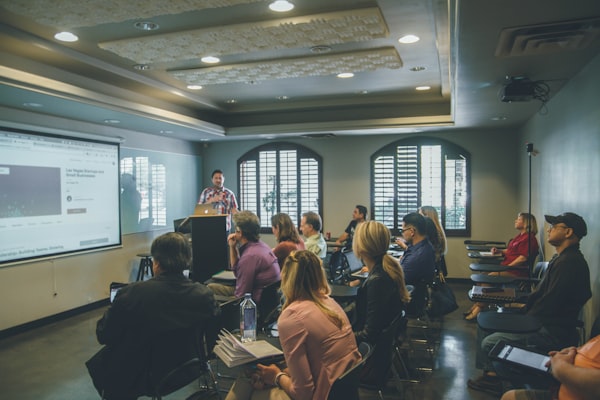
You record a 90-minute lecture. It goes on your course platform. A few hundred students watch it. And then it disappears into the void. Meanwhile, that exact content — the insights, the frameworks, the quotable moments — could be driving traffic, building your audience, and attracting new students on social for months. That's what AI for converting lectures to content clips makes possible, and it's one of the biggest untapped opportunities in the AI for educational content creators toolkit.
This is a full-stack guide: from raw lecture recording to polished clips distributed across YouTube Shorts, TikTok, Instagram Reels, and LinkedIn. We'll cover which tools do the heavy lifting, what to optimize in each clip, and how to build a repeatable workflow that runs with minimal manual effort.
Why Your Lectures Are Your Best Content Asset (and You're Not Using Them)
Educators and course creators produce some of the highest-quality long-form content on the internet. Thoughtful explanations, structured frameworks, practical examples — this is premium content that social media audiences are actively searching for. The problem is that no one on TikTok is searching for your 90-minute module on Excel pivot tables. But they are searching for "pivot table trick that saves 2 hours" — which is probably hiding inside that lecture at the 34-minute mark.
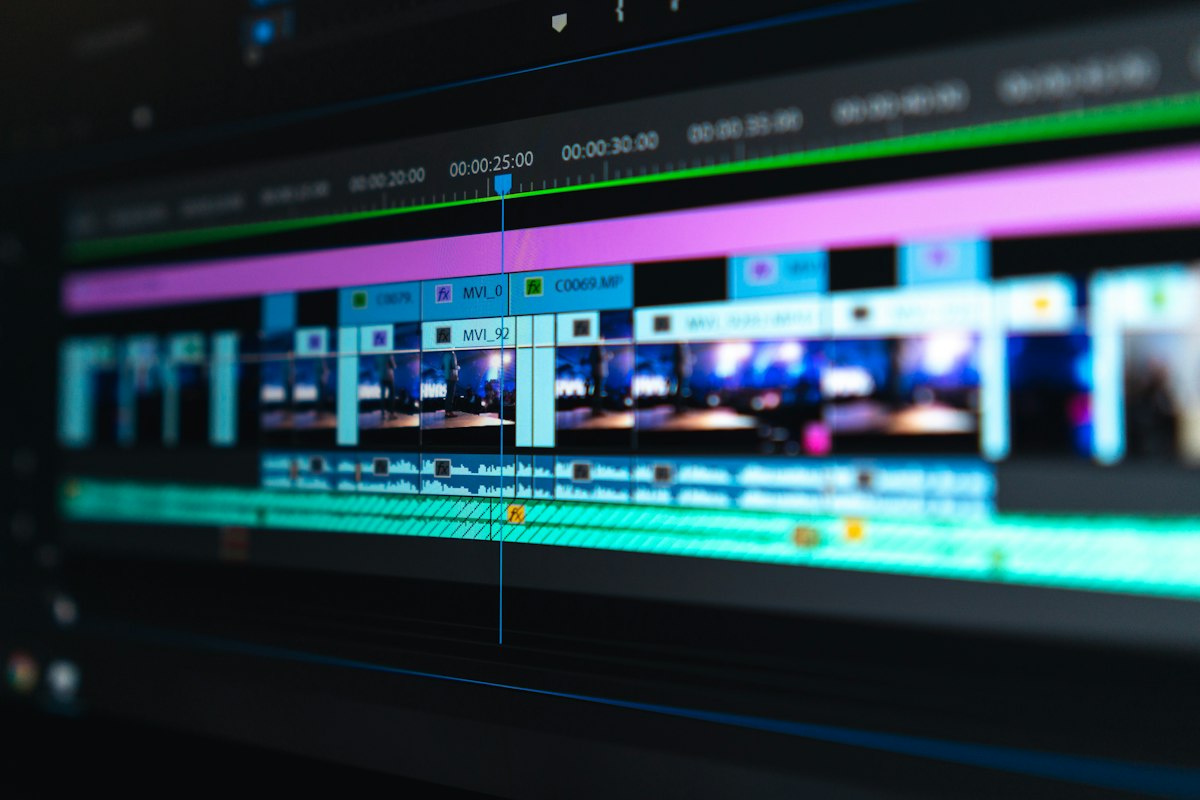
AI changes the economics. Previously, extracting clips meant watching your own lecture, identifying the best moments, manually cutting them out, reformatting for vertical, and writing captions. For a 90-minute lecture, that's 3-4 hours of editing work per clip. AI compresses that to a 15-20 minute review and approval process — which makes clip extraction economically viable for every lecture you record, not just the rare occasion when you have extra time.
The repurposing math: One 90-minute lecture typically contains 8-15 clippable moments at the 60-90 second level. AI can identify and extract all of them in the time it used to take you to find just one. That's a 10x content output from the same recording session.
The AI Tools That Actually Work for Lecture-to-Clip Conversion
Opus Clip (Best Overall for AI Clip Selection)
Opus Clip is the category leader for AI-driven clip extraction. You upload your lecture recording (up to 3 hours on paid plans), and the AI scans the transcript for high-engagement moments — strong statements, clear explanations, moments with natural emphasis or energy shifts. It then cuts those moments into 30-90 second clips with auto-captions, aspect ratio conversion, and a "virality score" prediction.
Opus Clip
Best for: Automated clip extraction from long lecture recordings. Handles the full pipeline from identification to formatted output.
For educational content, the virality score is less useful than it sounds — educational clips don't perform on the same virality metrics as entertainment. What matters more is whether the clip is self-contained (does it make sense without the surrounding lecture?), and Opus Clip's scoring reflects this to a degree. Review every clip manually before publishing regardless of score.
Castmagic (Best for Transcript-First Workflows)
Castmagic approaches lecture repurposing from the transcript side rather than the video side. Upload your audio or video, and it generates a detailed transcript plus AI-extracted highlights, key moments, social snippets, and content summaries. You can then use those identified moments to manually clip the video or export to a video tool. Stronger for text-based outputs (LinkedIn posts, email sequences, blog posts) from your lecture content than for pure video clips.
Descript (Best for Hands-On Editing Control)
Descript gives you the most control of any tool in this category. It transcribes your lecture, lets you edit video by editing text (delete a word from the transcript, the corresponding video gets cut), and has an Underlord AI feature that identifies highlights and suggests edits. For educators who want to stay involved in the editing process rather than fully automating it, Descript is the best choice — you can quickly jump to the moments AI flags as strong and make judgment calls about whether to include them.
Opus Clip vs Munch vs Vizard for Short-Form Clips
All three tools claim to be the best at turning long videos into viral clips. We tested them on 10 real lecture recordings.
See the ResultsThe Complete Lecture-to-Clips Workflow
Here's the step-by-step workflow that works for educational content specifically. This differs from entertainment or podcast workflows because educational clips need to be self-contained explanations, not just entertaining moments.
Step 1: Pre-Edit Your Lecture for Better Clips
Before you even get to AI tools, structure your lectures with clip extraction in mind. This doesn't mean changing how you teach — it means starting key concepts with a clear statement that works as a clip opener. Instead of building slowly to the insight, state the insight first ("Here's the counterintuitive thing about compound interest...") and then explain it. This gives AI a clear clip start point and makes the clip self-contained.
Step 2: Upload and Get AI Suggestions
Upload your lecture to Opus Clip or Munch. Let the AI run its analysis (typically 5-15 minutes depending on length). Review the suggested clips — expect 8-20 suggestions for a 90-minute lecture — and sort by ones that make sense without the surrounding context.
Step 3: Edit for Educational Context
AI clip suggestions almost always need a small trim at the start and end. The AI tends to include a second or two of context-setting that the clip doesn't need. Cut to the clear statement, keep the explanation, and end with a natural conclusion. If a clip ends mid-explanation, either extend it or cut it — never publish a clip that feels incomplete.
Step 4: Add Educational Captions and Overlays
Educational clips benefit from highlighted captions that emphasize key terms — different from the standard word-by-word captions used in entertainment clips. Tools like Submagic let you create custom caption styles that highlight technical terms or key phrases as they're spoken, which improves comprehension and retention for educational viewers.
Step 5: Platform Optimization by Destination
Each platform needs slightly different treatment. LinkedIn audiences are looking for professional development value — lean into the business application of your content. TikTok wants the fastest possible hook in the first 2 seconds. YouTube Shorts performs well with educational content that has a clear "here's what you'll learn" opening. Instagram Reels favors visually dynamic content — if your lecture is just a talking head, add B-roll from the InVideo AI library to break it up.
Extracting Different Content Types from the Same Lecture
Clips aren't the only thing you can extract from a lecture. A systematic repurposing workflow turns one recording into a month of content across multiple formats.
From One Lecture, You Can Get:
- 8-15 short video clips (60-90 seconds) for TikTok, Reels, Shorts, LinkedIn
- 1 long-form YouTube video (edited highlights, not the full lecture)
- 5-8 text-based "key insight" posts for LinkedIn or Twitter/X
- 1 email newsletter summarizing the main lesson
- A blog post version of the lecture content for SEO
- Quote graphics for Instagram Stories or Pinterest
- A lead magnet checklist or summary PDF from the key takeaways
AI handles different parts of this pipeline. Castmagic handles transcript extraction and text-based formats. Opus Clip handles video clips. ChatGPT takes the transcript and generates the blog post, email, and social captions. You're the editor and publisher — the creative judgment stays human, the production work shifts to AI.
One Video to 30 Pieces of Content
See the complete AI repurposing workflow that turns a single recording into a month of multi-platform content.
View the WorkflowQuality Control for Educational Clips
Educational clips carry a different quality bar than entertainment content. A mildly boring entertainment clip is just forgettable. A poorly structured educational clip actively damages your credibility — if the clip makes you look like you don't know what you're talking about, or oversimplifies something in a way experts will notice, it can harm your brand with exactly the audience you're trying to attract.
Before publishing any clip from a lecture, run it through this checklist: Is the claim in this clip accurate without any of the surrounding context? Would a student watching only this clip get the right takeaway, or would they misunderstand something important? Does the clip have a clear beginning, middle, and end — or does it feel like a fragment?
If you're teaching complex or nuanced topics, add a pinned comment or caption card clarifying what the full context is. "This clip is from my course on [topic] — full explanation in the link below" does double duty: it provides context and it drives course traffic from the clip.
Measuring What Works (And Building Your Clip Strategy Around It)
Run your lecture clips as experiments. Track which topic areas and which clip formats (tight explanation vs story-led vs framework reveal) get the most saves and shares — not just views. Saves and shares signal educational value; views just signal initial curiosity. After 30 clips, you'll have enough data to know which parts of your teaching style resonate as short content, and you can structure future lectures with those formats in mind.
Educational clip content also has a long shelf life compared to entertainment. A clip explaining a business concept from 6 months ago is still fully relevant. Build a clip library and republish strong performers on a rotation — something many entertainment creators can't do because their content has a much shorter relevance window.
For a broader look at how AI fits into your course creation and distribution strategy, check out our guide to AI for course quizzes and assessments and the complete AI for educational content creators guide. If you're also using your lecture content to grow a social following, the AI short-form video tools category has full reviews of every tool in this space.
Frequently Asked Questions
Do I need to record lectures differently to get better clips?
Small adjustments help significantly. Starting key points with a declarative statement ("Here's the thing about X..."), pausing before transitions, and avoiding jargon that requires context all produce better AI-extracted clips. You don't need to change your teaching style fundamentally — just make the entry points to your key insights slightly more explicit.
How long should educational clips be for each platform?
For TikTok and Instagram Reels, 45-75 seconds is the sweet spot for educational content. YouTube Shorts performs well up to 60 seconds. LinkedIn clips can go to 90-120 seconds because the professional audience is more patient with substantive content. In all cases, the fastest possible hook in the first 3 seconds is non-negotiable.
Can I use clips from paid course content publicly?
Yes — and you should. Clips from paid courses are some of the best top-of-funnel content you can produce because they demonstrate the actual quality of what students get. The key is choosing clips that are valuable but not complete — a clip that gives someone a useful insight but leaves them wanting the full explanation is a natural course conversion tool.