Best AI Tools for YouTubers 2026: The Complete Ranked Toolkit
You're already putting in the work. These AI tools help you work faster, rank higher, and look more professional — without burning out.
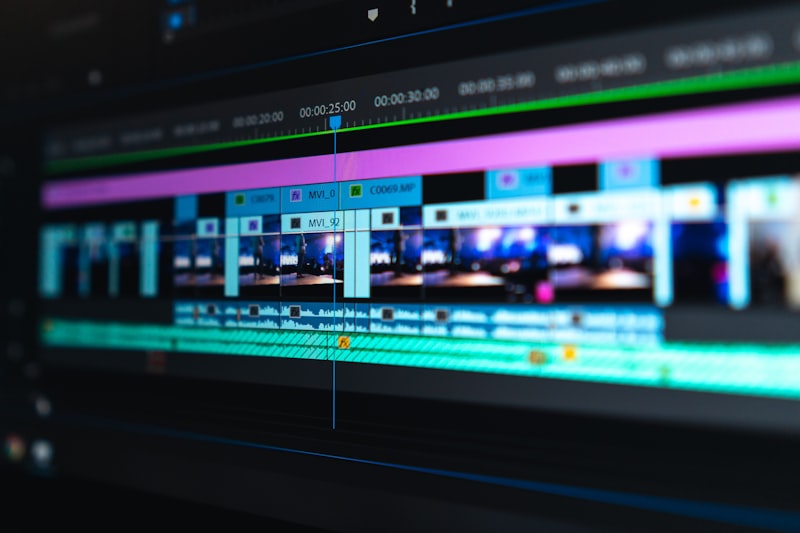
Being a YouTuber in 2026 is harder than ever. You're competing against millions of channels, the algorithm is unpredictable, and your viewers expect higher production quality every single week. You're already uploading on schedule, responding to comments, tweaking thumbnails, and monitoring analytics. The last thing you need is more work.
Here's the reality: AI isn't about replacing creators—it's about giving you back your time. The right tools handle the repetitive parts of your workflow, so you can focus on what actually matters: creating content that resonates.
We've tested 12 AI tools specifically for YouTube creators. Some are free. Some cost money. Some are overpriced. We tell you all of it. You'll learn which tools actually move the needle for different parts of your workflow—from scripting and editing to thumbnails and SEO. And we show you how to chain them together into a system that works for your channel type and size.
Whether you're just starting out or running a 500K subscriber channel, you'll find tools and workflows that make sense. And if you're wondering whether AI tools will get you demonetized or flagged by YouTube's algorithm—we address that too.
Let's build your AI-powered workflow. Check out our blog-to-YouTube video workflow or how to turn one video into 30 pieces of content to see these tools in action. Then come back here to compare which ones fit your needs best.
Scripting & Research Tools
Video Editing Tools
Thumbnail & Visual Tools
YouTube SEO Tools
Voiceover & Audio Tools
Shorts & Repurposing Tools
Quick Reference: Tool Comparison
| Tool | Category | Free Tier | Best For | Starting Price |
|---|---|---|---|---|
| CapCut | Video Editing | Yes (generous) | Beginners, fast edits | Free |
| Descript | Video Editing | Yes (limited) | Audio fix, text-based editing | $12/mo |
| ChatGPT | Scripting | Yes | Script writing, batch content | Free |
| Claude | Scripting | Yes | Narrative scripts, creative writing | Free |
| VidIQ | YouTube SEO | Yes (limited) | Keyword research, competitor analysis | $15/mo |
| TubeBuddy | YouTube SEO | Yes (limited) | Thumbnail A/B testing, bulk optimization | $9/mo |
| ElevenLabs | Voice & Audio | Yes (limited) | Voiceovers, voice cloning | $5/mo |
| Midjourney | Thumbnails | No | Custom thumbnail imagery | $10/mo |
| Canva AI | Thumbnails | Yes (basic) | Quick thumbnail design | Free |
| Opus Clip | Shorts & Clips | Yes (limited) | Auto-clip long videos | $20/mo |
| Munch | Shorts & Clips | Yes (limited) | Multi-platform clip creation | $10/mo |
| InVideo AI | Video Creation | Yes (limited) | Text-to-video, faceless content | $15/mo |
Your AI-Powered YouTube Workflow
Here's how creators actually chain these tools together. Pick the workflow that matches your channel type.
The Scripted Channel Workflow
Step 1: Research topic with Claude or ChatGPT. Step 2: Write script (Claude better for narrative, ChatGPT better for rapid iteration). Step 3: Generate thumbnail concept with Midjourney. Step 4: Record video. Step 5: Edit in Descript (text-based editing, fix audio). Step 6: Export and use Opus Clip to create shorts. Step 7: Optimize SEO with VidIQ keywords in title, description. See our blog-to-YouTube video workflow for detailed steps.
The Faceless/Automation Workflow
Step 1: Research topic with ChatGPT. Step 2: Use InVideo AI to generate video from text. Step 3: Clone voiceover with ElevenLabs (or use InVideo's built-in voices). Step 4: Generate thumbnail imagery with Midjourney. Step 5: Minor edits in CapCut if needed. Step 6: Optimize with TubeBuddy SEO scorecard. Step 7: Schedule upload. Learn more in our faceless YouTube workflow.
The Repurposing Workflow
Step 1: Upload long-form video to Opus Clip. Step 2: AI auto-clips into 5-10 shorts. Step 3: Use Munch to cross-post to TikTok and Instagram Reels. Step 4: Repurpose blog posts into video clips with Munch. See our one video to 30 pieces workflow for the full system.
The Rapid-Fire Workflow
Step 1: Use ChatGPT to generate 5 video ideas in 5 minutes. Step 2: Use InVideo AI to create 5 short videos from text. Step 3: Use Canva AI for quick thumbnails. Step 4: Schedule all 5 with optimal posting times (use YouTube Analytics data). This workflow trades customization for speed. Best for channels with large audiences who'll watch anything you post.
Platform-Specific Tips for YouTube Creators
YouTube Shorts with AI
Shorts are the algorithm's favorite. Use Opus Clip or Munch to find the most viral 15-60 second moments from your long-form videos. Test 3-5 shorts per week. The algorithm tests new creators aggressively on Shorts—if you win there, your long videos get recommended too. AI here doesn't replace strategy; it speeds up the testing cycle. Pro tip: Shorts that start with a pattern interrupt (bright flash, sudden cut, text overlay) do 30% better. Both Opus Clip and CapCut handle this automatically.
Thumbnail Psychology + AI
Thumbnails are arguably your most important asset. A great thumbnail can 2x your click-through rate. AI tools (Midjourney, Canva AI) make custom thumbnails fast, but remember: the best thumbnail is the one that stands out in the search results. Use Midjourney vs DALL-E vs Canva AI comparison to pick your tool. Test urgency signals (countdown clocks, "ONLY 24 HOURS"), contrast (bright colors on dark backgrounds), and facial expressions (open mouth, wide eyes). AI tools help you generate these fast; your job is A/B testing with TubeBuddy to find what wins.
Using AI for Community Posts
Community posts are underrated for building audience. Use ChatGPT to generate 5 community post ideas weekly. These don't need to be creative—they can be polls ("Should I make a video on X?"), behind-the-scenes content ("Here's what I film on Monday"), or engagement bait ("Unpopular opinion: Y is overrated"). AI can speed up the writing. A single community post can get 10K views and set up your next video for higher initial velocity.
AI for Sponsor Reads & CTAs
If you're monetized and taking sponsors, ChatGPT or Claude can help you write natural sponsor reads that don't feel canned. Feed them your sponsor's talking points and your voice. Ask for 3 variations and pick the one that feels most like you. Same for end-screen CTAs: "Subscribe if you want more of this" is weaker than "Subscribe and hit the bell so you don't miss the next deep-dive on X." AI can test variations faster than you can write them.
YouTube Analytics + AI Insights
Download your YouTube Analytics data (CSV) and paste it into Claude or ChatGPT with a prompt: "Here's my last 50 videos. What patterns do you see? Which content is actually working?" AI is good at finding patterns in data—your highest-retention videos, which keywords your audience is searching for, which CTAs convert best. Combine this with VidIQ's competitor analysis to know what you're up against.
Multi-Language Content
If you want to reach audiences in other countries, ElevenLabs can generate voiceovers in 30+ languages. Cost: ~$5 per video. Upside: You can tap into Spanish, Hindi, Arabic, or Portuguese speaking audiences that might dwarf your home country. Claude or ChatGPT can write scripts in any language. This is a real play for scaling, not a gimmick.
Tool Recommendations by Creator Level
New Creators (0-1K subs)
Focus on shipping content consistently. Automate everything.
- CapCut (free editing)
- ChatGPT (free scriptwriting)
- Canva AI (free thumbnails)
- VidIQ free tier (keyword research)
- ElevenLabs free tier (voiceovers)
Total monthly cost: $0-5. Goal: Ship 1 video per week. Don't optimize; just create.
Growing Channels (1K-10K subs)
Now you care about rankings and consistency. Invest in quality tools.
- Descript ($12/mo editing with audio fix)
- Claude or ChatGPT Pro ($20/mo)
- VidIQ or TubeBuddy ($15-20/mo SEO)
- Canva Pro ($120/yr thumbnails)
- Opus Clip ($20/mo shorts automation)
Total monthly cost: $50-70/mo. Goal: Ship 1-2 videos per week with higher production quality and better SEO.
Established Channels (10K+ subs)
You have time and money. Focus on efficiency and scaling.
- All the above, plus:
- Midjourney ($10/mo custom thumbnails)
- ElevenLabs paid ($30-100/mo voice cloning)
- InVideo AI ($30/mo text-to-video)
- Both VidIQ + TubeBuddy ($35/mo combined)
Total monthly cost: $120-150/mo. Goal: 2-4 videos per week with zero manual overhead. Build a system, not a workflow.
Frequently Asked Questions
Yes, completely. YouTube doesn't care how you edit your video. They care about the content, copyright, and audience retention. Using CapCut, Descript, or any AI editor won't get you demonetized or flagged. In fact, YouTube's own editing tools use AI. The only red flag: if you use copyrighted music or footage that you don't have rights to. The AI editor isn't the problem; the content is.
Example: A 10M-subscriber channel uses Descript for all editing. Zero issues. A 100K-subscriber channel uses CapCut's auto-captions. Zero issues. Use whatever tool lets you ship quality content faster.
AI can write 80% of a script. You write the other 20%. ChatGPT and Claude are great at generating outlines, bullet points, and first drafts. They're terrible at capturing your unique voice out of the box. Here's how professionals use them: Feed AI your topic and a previous video script (so it can match your tone). It generates 3 versions. You pick one, edit it to sound like you, add personal stories, and ship. Time saved: 4-6 hours per script.
What AI can't do: Surprising plot twists, deeply personal vulnerability, niche humor that only your audience gets. What AI does best: Structuring ideas, filling in research, generating variations, writing intros and outros.
Depends on what you need, but CapCut is the baseline. If you're starting with zero tools, CapCut's free tier is the most complete. Auto-captions, background removal, trending templates, and export to YouTube directly. No watermark. Just install it and go.
If you need scripting: ChatGPT free tier. If you need thumbnails: Canva AI free tier. If you need shorts clips: Opus Clip free tier is limited but useful. The combo of CapCut (editing) + ChatGPT (scripting) + Canva AI (thumbnails) gets you 80% of the way there with zero monthly cost.
No. YouTube doesn't scan your thumbnails with AI-detection software. They care about click-through rate and watch time, not how the thumbnail was made. A 2M-subscriber channel uses Midjourney for 100% of thumbnails. Zero issues. A 500K channel uses Canva AI. Zero issues.
What matters: Does your thumbnail stand out? Does it match your video content? Does it get clicks? Use whatever tool helps you do that. AI tools are faster and cheaper than hiring a designer. That's it.
10-20 hours per week if you use the full stack. Here's the math: Scripting (ChatGPT): 3-4 hours saved per script. Editing (Descript + CapCut): 4-6 hours saved per video. Thumbnails (Midjourney + TubeBuddy A/B testing): 1-2 hours saved. Shorts clipping (Opus Clip): 2-3 hours saved. SEO optimization (VidIQ): 1-2 hours saved. Total: 11-17 hours per week for a creator putting out 2-3 videos.
That's real time you get back. What do you do with it? Film more content, engage with your community, or just... take a break. AI tools don't replace the creative work. They replace the busywork.