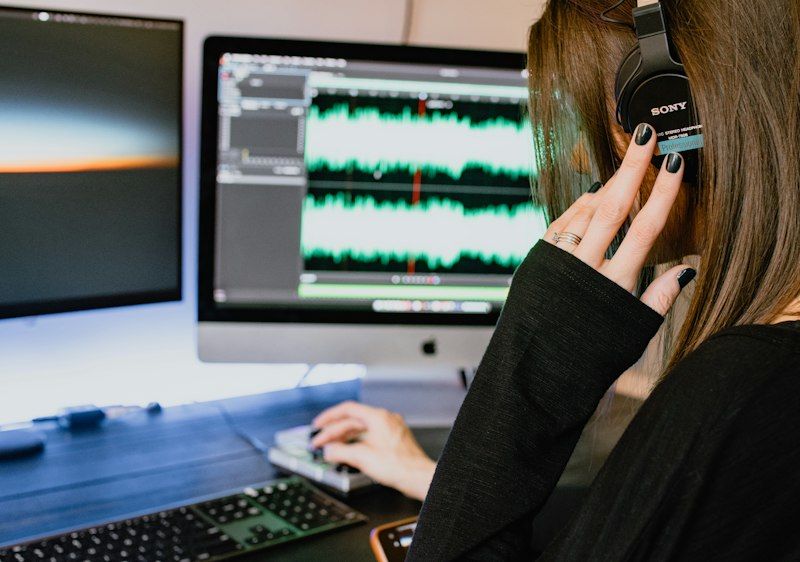
You film a 45-minute video on Monday. By Friday, you've turned it into a YouTube upload, a TikTok, an Instagram Reel, a LinkedIn clip, a podcast episode, a blog post with timestamps, a newsletter issue, and a lead magnet. You didn't stay late. You didn't hire anyone. You used an AI workflow.
Most creators still approach content production like a factory line: one piece of content, one platform, one format. Film it. Edit it. Upload it. Move on. That worked in 2020. In 2026, it's leaving money and growth on the table.
An AI workflow is different. It's a repeatable process where you feed raw content (usually one source: a video, a podcast, a long-form article) into a chain of AI tools that automatically transforms it into multiple finished pieces for multiple platforms. The best part: once you've set up the workflow once, you run it again and again with minimal setup.
This guide shows you how to build, test, and run AI workflows that actually work. Not theoretical workflows. Not workflows that require $5,000 in tools and a PhD in automation. Real workflows using tools you can learn in an afternoon, built from first principles so you understand exactly why each step exists.
What you'll learn: The anatomy of a working AI workflow, 5 complete step-by-step workflows you can start using immediately, how to modify them for your specific content type, and how to stack multiple workflows together into a full content production system.
What Makes an AI Workflow Different From Just Using AI Tools
This distinction matters. A lot of creators use AI tools. They open ChatGPT and write a script. They use Descript to edit a video. They use Canva to make a thumbnail. Those are smart moves. But they're not workflows.
A workflow is the difference between these three approaches:
Approach 1: Random Tool Usage (No Workflow)
You use different tools for different tasks, but there's no system. You might use CapCut one week and Premiere Pro the next. You write scripts in Google Docs sometimes and ChatGPT other times. Every project is slightly different. You're not building speed because you're not repeating the same steps twice.
Approach 2: Single-Tool Mastery (Not a Workflow Yet)
You pick one AI tool, get really good with it, and use it for every applicable task. This is better than Approach 1. You save time. But you're still handling the handoffs manually. You edit in Descript, then manually export, then manually upload to YouTube, then manually clip for TikTok. The AI helps with one piece, but you're the connective tissue.
Approach 3: Full AI Workflow (The Multiplier)
You build a system where multiple AI tools feed into each other automatically (or with one click). You upload raw video, and the workflow automatically generates titles, descriptions, scripts, TikTok clips, blog timestamps, social captions, and email hooks. You're no longer doing the handoff work. The tools are.
Approach 3 is where you get the 10x multiplier. One hour of raw content becomes 20+ finished pieces. You're no longer trading time for output. You're building production infrastructure.
To understand the landscape of AI tools better, read our complete guide to AI for creators. It covers all the major AI tool categories and how they fit together. The workflows in this guide assume you're familiar with the basics.
The Five Components of Every Working AI Workflow
Every workflow worth using has the same structure. Understanding this structure is how you build your own workflows when these don't fit your exact needs.
1. Input Layer: Your Source Content
You start with raw content in one format. Usually video (YouTube, Zoom recording, phone camera), audio (podcast, voice memo), or text (article, notes, transcript). The key: it's unprocessed. It's the raw material.
2. Processing Layer: AI Tools Transform It
This is where the AI lives. You use specialized tools to process the input. Descript transcribes and removes filler words. ChatGPT writes captions and hooks. Opus Clip finds the best moments. Each tool does one thing really well.
3. Distribution Layer: Tools Spread It
Once you've generated pieces, you need to distribute them. Repurposing workflows take one video and generate clips, quotes, carousels, and email hooks. Some of this happens automatically in tools like CapCut. Some happens in distribution platforms.
4. Quality Layer: Human Review (Non-Negotiable)
The workflow generates content fast. But you still need to check it. Typos happen. AI misses context sometimes. Captions get out of sync. You spend 10 minutes reviewing 20 finished pieces instead of 2 hours creating them from scratch. The AI did 90% of the work.
5. Output Layer: Multiple Formats, Multiple Platforms
You end up with finished, ready-to-publish content across multiple platforms: YouTube, TikTok, Instagram, LinkedIn, newsletters, blog posts. Everything comes from the same source. Everything is on-brand because you reviewed it. Everything is ready to ship.
Workflow Architecture Checklist
- Do I have a clear input (one raw piece of content)?
- Are my AI tools processing that input in the right order?
- Can the output from Tool A feed into Tool B?
- Is my quality review step clear and fast?
- Am I outputting to at least 3 different platforms/formats?
Workflow 1: The YouTube-to-Everything Model
This is the most powerful workflow for most creators. You upload a YouTube video. The workflow turns it into blog posts, social clips, email content, and lead magnets.
Tools You'll Need
| Tool | Function | Cost | Time |
|---|---|---|---|
| Descript | Transcription + clip generation | Free/Paid | Auto |
| ChatGPT | Script writing + description generation | Free/Paid | 5 min |
| Opus Clip | AI clip detection + formatting | Free | Auto |
| Canva AI | Thumbnail + social graphics | Free/Paid | 5 min |
Step-by-Step: YouTube to Everything
- Export transcript from Descript — Upload your YouTube video URL to Descript. It auto-transcribes in minutes. Download the full transcript as a text file.
- Generate clip timestamps — Use Descript's clip detection to find standout moments automatically. Review and mark your top 5-8 moments. Export timestamps.
- Write SEO description and chapters — Paste the transcript into ChatGPT with this prompt: "Write a YouTube description for a video with this transcript: [transcript]. Include: SEO-optimized description (160 chars), chapter markers for timestamps, and 3 Instagram caption variants." Takes 5 minutes.
- Generate short-form clips — Upload your video to Opus Clip. Let it auto-generate TikTok/Reel clips. Review and approve the best 5. Download all formats (vertical video).
- Create blog post from transcript — Paste your transcript into ChatGPT: "Convert this video transcript into a blog post (2000 words). Add: H2 headers, key takeaways box, tool links, and a CTA at the end." Copy the output into your blog editor.
- Generate email/newsletter version — Ask ChatGPT: "Rewrite this blog post as a 300-word email newsletter, with a subject line, hook, and CTA." Send to your list.
- Create thumbnail variations — Use Canva AI to generate 3-5 thumbnail design variations based on your video topic. Test 2-3 on YouTube, pick the highest-CTR version.
- Review and publish — Spend 30 minutes reviewing all outputs: check transcript accuracy, verify clip quality, proofread descriptions. Make minor edits. Schedule everything across platforms.
Time investment: 4-5 hours of work spreads across 1.5 hours of AI processing. With practice, your active work drops to 45 minutes of reviewing and tweaking.
Output: 1 YouTube video, 8 TikTok/Reels, 1 blog post, 1 newsletter, 5 LinkedIn posts, 1 podcast episode version (via transcript), 1 lead magnet (quotable moments).
When to use this: You're a long-form YouTube creator, podcaster, or course creator. You want to repurpose core content across platforms. You're building an audience on multiple channels simultaneously.
Workflow 2: The Weekly Batch Content Model
Instead of creating one piece of content per day, you create 20-30 pieces in one 4-hour session. Then you publish one per day for the next month.
Tools You'll Need
| Tool | Function | Cost |
|---|---|---|
| Notion AI | Brainstorming + outlining | Free (with Notion) |
| ChatGPT | Writing first drafts | Free/Paid |
| Canva AI | Graphics for each post | Free/Paid |
Step-by-Step: Weekly Batch Creation
- Monday morning: Ideation session (30 min) — Spend 30 minutes listing 20-25 content ideas for the week. Use this AI content calendar workflow to structure it. Think of what your audience asked about, trending topics in your niche, and evergreen how-tos.
- Monday afternoon: Draft generation (90 min) — For each idea, write a one-sentence angle. Paste all 20 into ChatGPT: "Write 20 short social media posts (100-150 words each) on these topics: [list]. Make them engaging, actionable, and on-brand." ChatGPT generates all 20 in under 2 minutes. Spend 90 minutes reviewing, tweaking voice, personalizing each one.
- Tuesday morning: Visual creation (60 min) — For each post, create a custom graphic in Canva using templates. Canva AI can suggest layouts based on text. Batch create: use the same template with different text/images to speed up. 3-4 graphics per hour.
- Tuesday afternoon: Quality review (45 min) — Read through all 20 posts. Fix any typos. Verify links. Make sure graphics match your brand. Add CTAs.
- Wednesday: Schedule everything — Batch schedule all 20 posts across your platforms. Use a scheduler like Notion or Buffer to queue them up. Post 1 per day for the next month.
Time investment: 4-5 hours on two days, then 5 minutes per day for a month to monitor engagement and respond to comments.
Output: 20 social media posts ready to publish, each with custom graphics, all on-brand, all aligned with your content strategy.
When to use this: You're a social media creator (Instagram, LinkedIn, TikTok). You want consistent posting without daily content creation work. You're building audience and engagement through volume and consistency. Read more in our guide on weekly batch creation workflows.
Workflow 3: The Podcast-to-Newsletter Empire
You record one podcast episode. The workflow turns it into a newsletter, blog post, social clips, and video clips.
Tools You'll Need
| Tool | Function | Cost |
|---|---|---|
| Descript | Transcription + editing | Free/Paid |
| ChatGPT | Newsletter writing + quotes | Free/Paid |
| ElevenLabs | Intro/outro voiceover generation | Free/Paid |
Step-by-Step: Podcast to Newsletter
- Upload and transcribe — Export your podcast audio file. Upload to Descript. Auto-transcription takes 10-15 minutes. Download transcript as text.
- Extract key moments — Review the transcript. Copy out your 5-8 best quotes/insights. These become the backbone of your email and social content.
- Write newsletter version — Paste transcript into ChatGPT: "Write a newsletter email (400-500 words) based on this podcast transcript: [paste transcript]. Include: compelling hook, key takeaway, 2 quoted moments with context, and CTA for next episode." Takes 3 minutes.
- Generate social clips — Take your best quotes and ask ChatGPT: "Turn these podcast quotes into 8 Twitter/X posts (280 chars each)." Each quote becomes 1-2 social posts.
- Create blog post with timestamps — Use Descript to generate chapter markers for the transcript. Ask ChatGPT to turn the transcript into a blog post with timestamps. Readers can click a timestamp to hear that part of the podcast.
- Review and publish — Spend 30 minutes checking grammar, fact-checking claims, verifying links. Schedule email for next Tuesday. Schedule social posts across the week.
Time investment: 2-3 hours total. Record the podcast (your time), 30 minutes AI processing, 60-90 minutes reviewing and tweaking.
Output: 1 podcast episode, 1 newsletter, 1 blog post, 8-10 social media posts, 3-5 quotable graphics.
When to use this: You're a podcaster or long-form audio creator. You want to repurpose your best content across email and social. Read our full guide on podcast to newsletter workflows.
Workflow 4: The Faceless Channel Model
You create a YouTube channel without ever appearing on camera. AI generates voiceovers, edits footage, and creates custom graphics.
Learn the complete step-by-step process in our guide on building a faceless YouTube channel in 7 days with AI.
Workflow 5: The Course-to-Everything Pipeline
You create one course module. The workflow turns it into YouTube videos, blog posts, social clips, email sequences, and downloadable resources.
This is covered in depth in our guide on launching a course in a weekend with AI.
How to Customize Workflows for Your Content Type
The workflows above are starting points. Your specific workflow will be different based on:
- Your platforms: A TikTok creator doesn't need blog posts. A newsletter writer doesn't need vertical video.
- Your audience: B2B audiences respond to different hooks than B2C audiences. Educational content needs timestamps. Entertainment needs pacing.
- Your content type: How-to workflows are different from narrative content. News commentary is different from storytelling.
- Your tools: You might use Notion AI instead of ChatGPT. You might use CapCut instead of Descript. The workflow still works.
The key: start with one of these workflows. Run it 2-3 times exactly as written. Then customize. Change the tools. Remove steps that don't apply. Add steps for your specific platforms. The structure remains the same.
The Tools That Work Best in Workflows
Not all AI tools work well in workflows. The best ones:
- Integrate with other tools (Zapier, API, direct exports)
- Process in seconds or minutes, not hours
- Have a consistent output format you can rely on
- Work with the formats you're actually using (video, text, audio)
Descript — The Workflow Backbone
Transcription, clip detection, and editing in one tool. Integrates everything downstream. Most powerful for any video-based workflow.
ChatGPT — The Content Generator
Writes first drafts, variations, and derivatives. The most versatile tool in any text-based workflow step.
For a complete comparison of tools that work best in workflows, see our AI writing tools and video editing tools reviews.
Common Workflow Mistakes and How to Avoid Them
Mistake 1: Too Many Tools at Once
New workflow builders try to use 8-10 AI tools in their first workflow. They get lost in setup and never actually run the workflow. Start with 2-3 tools. Master them. Add a 4th when you understand the first three completely.
Mistake 2: Skipping the Quality Review
AI is fast but imperfect. Typos happen. Captions get out of sync. Context gets lost. If you skip the review step, your output quality drops by 30%. Always build in review time. It's 10% of the total time investment but saves 80% of potential problems.
Mistake 3: Same Output Format Across Platforms
Copying and pasting the same caption to YouTube, TikTok, LinkedIn, and newsletters doesn't work. Each platform has different norms. LinkedIn posts are longer and more professional. TikTok captions are casual. Your workflow needs a "customization by platform" step. ChatGPT can do this in one prompt.
Mistake 4: No Feedback Loop
You run the workflow. You publish. You never check what performed best. Your second iteration is identical to your first. Add a "feedback loop" step: each Friday, review which pieces of content got the most engagement. Let that inform next week's workflow tweaks.
Mistake 5: Automating Too Early
You set up Zapier to auto-post all content across platforms. Then a typo makes it through and goes live to 10,000 people. Workflows should be fast, not automatic. A 30-second review step (one final check before publish) is worth the time.
Measuring Workflow Success
How do you know if your workflow is actually working? Track these metrics:
- Time to publish: How long from raw content to finished, published pieces? Your first run might take 5 hours. Your 10th run should take 2 hours. If it's not getting faster, the workflow needs optimization.
- Content pieces generated: How many finished pieces per hour of input? Starting target: 3-5 pieces per hour of raw content. Advanced: 10+ pieces per hour.
- Quality consistency: Are the generated pieces consistent with your brand voice? Are they publishable, or do they need heavy editing? Goal: 80%+ publishable without major rewrites.
- Engagement lift: Does repurposed content perform as well as original content? Track views, clicks, and engagement on pieces generated by the workflow vs. pieces you created manually. You're looking for parity or better.
Building Your First Workflow: Action Plan
Don't try to implement all five workflows at once. Here's how to start:
Week 1: Choose and Plan
- Pick one workflow from this guide that matches your primary content type.
- Read through it twice. Make notes on which tools you already use.
- List any tools you need to sign up for. Set up free accounts.
Week 2-3: Build and Test
- Run the workflow with one piece of real content. Don't optimize yet. Just follow steps 1-8 exactly as written.
- Time each step. Write down what works and what feels slow or clunky.
- Run it again with a second piece of content. Tweak anything that didn't work the first time.
Week 4: Deploy and Iterate
- Run the workflow with 3-5 pieces of content that week. You're establishing the pattern.
- By the end of week 4, you should have this workflow down to a 60-90 minute process (not including the time to create the original content).
- Only after this workflow is locked in do you add a second workflow to your process.
Advanced: Stacking Workflows Together
Once you've mastered one workflow, you can stack multiple workflows together to create a content production machine.
Example: You film a 30-minute YouTube video. Workflow 1 (YouTube to Everything) turns it into a blog post, TikToks, and clips. Take that blog post and feed it into Workflow 2 (Weekly Batch Content) to generate 20 social posts from its insights. Those social posts remind your audience about the original video, driving more views. The YouTube views feed into your growth metrics for your course. You're not running two separate workflows — they're feeding into each other.
For advanced workflow stacking, see our guide on turning one video into 30 pieces of content.
FAQ: Your Workflow Questions Answered
Q: Do I need to pay for all these tools?
No. Every workflow in this guide uses at least one free option. CapCut is free. ChatGPT's free tier is enough for most workflows. Opus Clip is free. You can build a complete workflow without spending money. The paid tiers add volume and speed, but you don't need them to start.
Q: What if I only use one platform (like YouTube)?
Start with the YouTube-to-Everything workflow anyway. Even if you're not actively posting to TikTok, having TikTok-ready clips waiting in your library gives you optionality. You can launch on TikTok whenever you want. Or you can mine those clips for YouTube Shorts. The workflow gives you flexibility.
Q: How long until the workflow saves me time?
Your first workflow will take longer than creating content manually. You're learning the tools and the steps. By the third time you run it, you should break even. By the 10th time, you're saving 50%+ of the time. Most creators see dramatic time savings by week three.
Q: Can I use these workflows for client work?
Yes. Agencies and freelancers use these workflows to deliver multiple pieces of content (blog, social, video, email) from one shoot. One client content creation day becomes a month of deliverables. This is where the real leverage lives. Read our guide on AI content calendars for agency-specific workflows.
Q: What if the AI quality isn't good enough for my audience?
The quality of AI output depends on your input and your customization. If you feed ChatGPT a vague prompt, you get vague output. If you feed it your transcript plus specific voice guidelines, you get on-brand output. The workflows above include a quality review step. That's how you maintain quality while gaining speed.
Next Steps: Which Workflow Should You Start With?
You now know five complete workflows. Here's how to pick which one to implement first:
- If you're a YouTuber: Start with Complete YouTube Workflow: Record to Upload. Master that, then add the batch creation workflow for social content.
- If you're a podcaster or email creator: Start with the podcast-to-newsletter workflow. It's designed specifically for your content type.
- If you're a social media creator: Start with weekly batch creation. You'll generate 20 pieces in one session instead of creating one per day.
- If you want to build a new channel from scratch: Start with the faceless channel workflow. You can launch a entire YouTube presence with AI in a week.
- If you're launching a course or info product: Start with the course launch workflow. Turn one module into a month of marketing content in a weekend.
The best workflow to start with is the one that solves your biggest current pain point. If editing videos takes 20 hours a week, the YouTube workflow saves you 12. If writing content takes 15 hours a week, the batch creation workflow saves you 10. Pick the highest-leverage workflow. Master it. Scale from there.
The Real Win: Content Compounding
The real power of AI workflows isn't speed. It's compounding.
Month 1: You use workflows to publish 4 blog posts, 20 social posts, 4 YouTube videos, and 1 course module. You're creating like a team of 4.
Month 2: Same effort. Now you have 8 blog posts in your archive. 40 social posts. 8 YouTube videos. You're reaching new people every day through every platform.
Month 3: You're not just creating. You're compounding. Older blog posts rank higher in search. YouTube videos get recommendations from your growing channel. Social posts are reaching more people because your profile is bigger. One hour of content creation today reaches 2x as many people as last month.
Month 6: You've published 120+ blog posts, 240+ social posts, 24 YouTube videos. Your SEO is strong. Your email list is growing. Your audience is spread across multiple platforms. New viewers find you on one platform and follow to the others. One workflow investment paid for itself five times over.
That compounding effect is why AI workflows are the biggest multiplier for modern creators. Not because they're trendy. Not because they're "efficient." But because they let you build a sustainable, scalable business doing creative work without burning out.
The creators winning in 2026 aren't the ones with the best equipment or the biggest budgets. They're the ones with the smartest workflows. That can be you starting this week.