Most AI tool guides treat all creators the same. They give you a list of 50 tools and leave you to figure out which ones matter for your niche. That's not how creators actually work. A fitness creator filming workouts has completely different production needs from a finance creator making explainer videos. A travel creator recording in 30 countries has different audio and editing challenges from a beauty creator filming in a controlled studio.
This guide takes a niche-first approach. For each of the six major content niches covered here — fitness, food, travel, beauty, gaming, and finance — we break down the specific AI tools that deliver the most value for that type of content, the workflows that work in that niche, and the areas where generic AI tools fall short and niche-specific solutions exist.
Before diving into niche-specific tools, the complete guide to AI for content creators covers the universal tools that every creator needs regardless of niche — the ones covered here are additions or replacements specific to each content type.
How to use this guide: Find your niche section and read it in full. Then check the sub-guides linked in the cluster navigation above for the deeper dive into your specific niche. The tool recommendations here are based on what actually works in each content category — not what sponsors or affiliate programs push hardest.
AI Tools for Fitness Content Creators
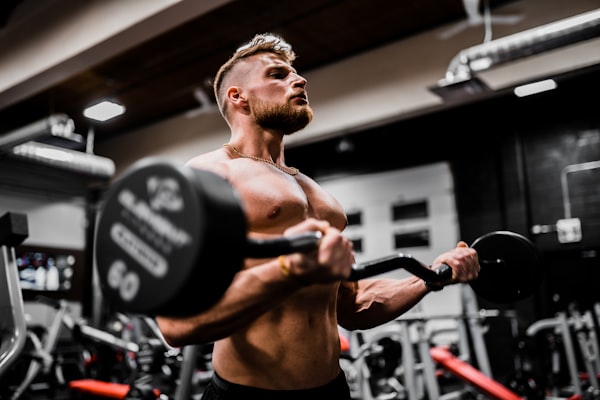
Fitness content has specific production demands: wide-angle shots, clear audio over ambient gym noise, demonstration clarity, and the ability to show form corrections and technique details. The AI tools that matter most in fitness aren't always the same ones that dominate general creator conversations.
Fitness Niche
What Makes Fitness Content Different
The core challenge of fitness content is visual clarity and demonstration quality. A fitness creator's audience is watching to learn how to do something — the video needs to show movement clearly from multiple angles, with the ability to slow down and annotate key form points. Generic editing tools handle this, but fitness-specific editing workflows benefit from a few targeted AI applications.
For video editing: Descript handles the general editing workflow well — transcript-based cutting removes the need to scrub timelines manually. For workout demonstrations specifically, the auto-zoom and highlight features in CapCut AI work particularly well for creating tutorial-style clips where the relevant body part needs to be emphasized. Opus Clip is strong for turning long workout sessions into shorts — it identifies the moments with highest energy and most complete movements.
For content planning: Fitness content benefits enormously from AI-assisted content research. Use ChatGPT to generate workout variations, exercise progressions, and program structures that become video content. The content planning workflow is: pick a fitness goal your audience has, ask AI to generate a 12-week program progression, then turn each week into a video. This alone can fill a content calendar for months.
For thumbnails: Fitness thumbnails almost always feature the creator's face showing an intense or determined expression, with the workout type and benefit in large text. Remini enhances the face photo quality. Canva AI handles the layout and text. The combination produces thumbnails that test well in the fitness niche — strong face, clear benefit, minimal clutter.
The deep dive: AI for fitness influencers covers the full workout content production workflow, program design with AI, and how fitness creators are using AI for nutrition content generation.
AI Tools for Food and Recipe Creators
Food & Recipe Niche
What Makes Food Content Different
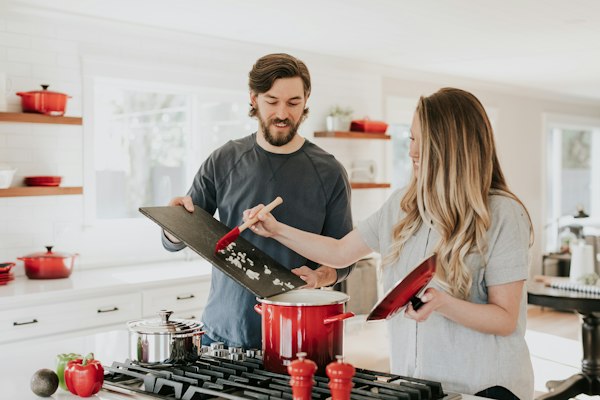
Food content is primarily visual — the quality of your food photography and video is the dominant factor in whether content gets engagement. AI tools that enhance visual quality, improve photo editing, and help with recipe content generation are the highest-value applications for food creators.
For food photography: Adobe Lightroom AI has the strongest food-specific editing capabilities — the Masking tool's AI selection is precise enough to separately edit the food, the plate, and the background in a single photo. The "Enhance Details" feature is particularly valuable for food macro photography where texture and color accuracy matter. Remini enhances the sharpness and color depth of phone photos to near-professional quality.
For video: Food video has a distinct editing style — tight cuts, specific angle changes, quick transitions on key steps. CapCut AI's auto-cut feature works reasonably well for recipe videos when you set the tempo to match your content style. Descript handles the voiceover and narration editing efficiently.
For content generation: Recipe variation is where AI adds the most distinctive value for food creators. ChatGPT can generate recipe variations on demand — "give me 8 variations of this pasta dish: one vegan, one gluten-free, one 15-minute version, one budget under $5, one restaurant-level presentation." Each variation becomes a video. The food-specific knowledge in Claude and ChatGPT is genuinely useful for ingredient substitution questions, technique explanations, and the food science behind what you're teaching.
The deep dive: AI for food and recipe creators covers the full photography workflow, recipe generation strategies, and how AI thumbnail tools perform for food-specific imagery.
Compare AI Image and Photo Editing Tools
Midjourney vs DALL-E vs Canva AI — which image AI works best for food photography enhancement and thumbnail creation?
See the Image Tool ComparisonAI Tools for Travel Content Creators
Travel Niche
What Makes Travel Content Different
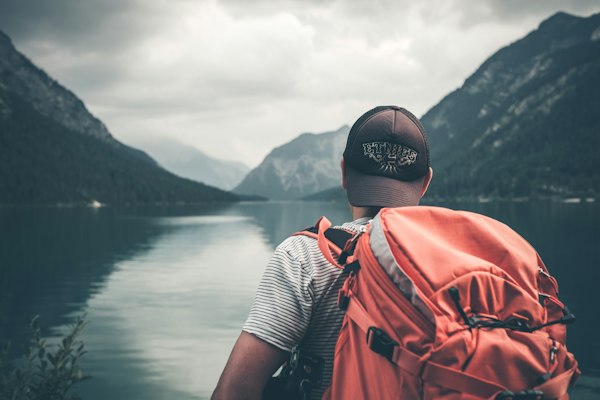
Travel content has unique production challenges: you're shooting on location, often with unpredictable lighting and audio conditions, on a compressed timeline. You can't re-shoot the sunrise at Machu Picchu because your ISO was wrong. You can't ask the street market to be quieter for your voiceover recording. AI tools that help you fix problems in post — bad audio, uneven lighting, shaky footage — are especially valuable for travel creators.
For audio fixing: Travel footage often has noisy backgrounds, wind, and ambient audio that interferes with voiceover clarity. Descript's Studio Sound feature is the most powerful AI audio enhancement available — it isolates voice from background noise in ways that manual equalization can't match. For travel creators who record voiceover on location, this is not optional; it's essential.
For video editing: Travel vlogs typically involve enormous amounts of footage — multiple days of shooting generating 50-100GB of files that need to be cut into a 10-15 minute video. Descript's transcript-based editing makes cutting through this footage significantly faster. Gling handles the first pass of removing silence and bad takes automatically, cutting review time by 40-60%.
For music: Travel content lives and dies by its music choices. Epidemic Sound remains the best source of licensed travel-appropriate music — its mood and genre filtering is more accurate than competitors for finding the right track for a specific scene. Suno AI is worth exploring for generating custom travel music themes that match your brand's specific tone.
For content planning: Travel creators can use ChatGPT to plan destination content before arrival — generating lists of hidden spots, cultural context for voiceover scripting, common questions about destinations, and narrative angles for turning a trip into multiple pieces of content. The one video to 30 content pieces workflow is directly applicable to travel vlogs.
The deep dive: AI for travel content creators covers the full location filming and post-production workflow, drone footage handling, and how to build a content calendar around travel that doesn't require constant trips.
AI Tools for Beauty and Fashion Influencers
Beauty & Fashion Niche
What Makes Beauty and Fashion Content Different
Beauty and fashion content is highly visual and highly personal. Your audience is watching you specifically — your technique, your product recommendations, your aesthetic. AI tools that enhance visual quality without making you look artificial, and tools that help you generate content ideas that resonate with your specific audience, are most valuable in this niche.
For photo and video quality: Adobe Lightroom AI for beauty photography has powerful masking that allows separate editing of skin, hair, eyes, and clothing in a single image — useful for both the editing efficiency and the level of control it provides. The AI-powered healing and removal tools in Lightroom 2026 handle backgrounds, stray hairs, and skin smoothing with a level of natural accuracy that manual retouching takes much longer to achieve.
For short-form beauty content: The primary format for beauty and fashion in 2026 is short-form vertical video (TikTok, Instagram Reels, YouTube Shorts). Submagic's animated captions are particularly well-suited to beauty content — the trend-aligned caption styles match the aesthetic expectations of beauty audiences. CapCut AI's beauty filter and effect library is the most current for trend-following beauty content.
For product recommendations: Beauty content lives on product recommendations, and ChatGPT's ability to research and summarize product ingredients, formulations, and comparisons adds genuine value to the content creation process. Use it to quickly understand the science behind a product's claims, generate comparisons between similar products, and draft ingredient breakdowns for your audience.
The deep dive: AI for beauty and fashion influencers covers the full content production workflow including try-on haul content, lookbook creation, and how AI handles color accuracy in beauty photography.
AI Tools for Gaming Content Creators
Gaming Niche
What Makes Gaming Content Different
Gaming content has the highest raw footage volume of any creator niche. A single gaming session generates hours of footage that needs to be cut to the highlights — the funny moments, the clutch plays, the rage-quit sequences. AI tools that identify and clip highlight moments are especially valuable here.
For highlight clipping: Opus Clip and Munch are both strong for gaming content — Opus Clip is better at identifying high-energy moments (kills, clutch plays, reaction spikes), while Munch is better at analyzing what content will perform best on specific platforms. Our Opus Clip vs Munch vs Vizard comparison includes specific notes on gaming content performance for each tool.
For commentary and scripting: Gaming commentary scripting — tier lists, game reviews, analysis videos — benefits from AI research assistance. ChatGPT can quickly generate structured frameworks for game reviews, tier list rationale, lore summaries, and comparison structures that save significant research time. The voice is still yours; the structure and research scaffolding is AI-assisted.
For thumbnails: Gaming thumbnails have very specific conventions — shocked/surprised face, game character, bright colors, bold text. Midjourney is useful for generating game-world background elements. Canva AI handles the layout. Remini sharpens face photos for the reaction shot that appears in most gaming thumbnails.
The deep dive: AI for gaming content creators covers the streaming workflow, VOD to highlights pipeline, and how gaming creators use AI for community engagement.
AI Tools for Finance and Business Content Creators
Finance & Business Niche
What Makes Finance Content Different
Finance content has unique trust requirements. Audiences are highly skeptical of financial claims that aren't backed by data, and financial creators face stricter scrutiny around accuracy than creators in most other niches. AI tools for finance creators need to help with accuracy as well as production speed.
For data research and visualization: ChatGPT with web browsing is useful for quickly gathering current financial data, summarizing economic reports, and generating structured comparisons of financial products. For data visualization specifically — charts, graphs, financial tables — Canva AI generates clean, professional financial graphics that work for both video graphics and social media posts.
For scripting: Finance content scripting benefits from AI's ability to generate multiple complexity levels of the same concept — a script that explains compound interest to a complete beginner versus one that explains it to an intermediate investor are genuinely different, and AI can produce both starting from the same core concept. This is particularly useful for creators who serve a broad audience with varying financial literacy.
For SEO: Finance content is highly search-driven — people look for answers to specific questions. Surfer SEO is essential for finance creators producing blog content alongside videos. VidIQ handles the YouTube keyword research side. The AI SEO tools for creators category covers all options in this space.
The deep dive: AI for finance and business creators covers the full content workflow including compliance considerations, how to use AI for research without risking inaccuracy, and the specific tools that work best for explaining complex financial concepts visually.
Find AI Tools for Your Creator Category
Browse all 20 tool categories — video editing, writing, analytics, thumbnails, audio, and more. Filter by use case and creator type.
Browse All CategoriesCross-Niche AI Tools: What Every Niche Creator Needs
Despite the differences between niches, there are four AI tools that deliver high value across all content categories and are worth having in every creator's stack regardless of niche.
ChatGPT for content planning and scripting. Every niche benefits from AI-assisted ideation and first-draft generation. The specific applications differ by niche, but the underlying workflow — prompt, review, edit to your voice — is universal.
Canva AI for visual content. Thumbnails, post graphics, course slides, product mockups, media kits — Canva AI handles all of these regardless of niche. It's the single most widely applicable visual AI tool available.
Metricool for analytics. Every niche creator needs to understand their performance across platforms. Metricool's multi-platform dashboard provides this without requiring separate analytics tools for each channel.
Repurpose.io or Castmagic for content multiplication. Turning one piece of primary content into multiple formats — short clips, text posts, newsletters, quote graphics — is efficient for every niche. The one video to 30 content pieces workflow demonstrates the exact process.
For the creator-type view (by platform rather than niche): AI tools for YouTubers, AI tools for TikTokers, AI tools for Instagram creators, AI tools for podcasters. Each page covers the platform-specific stack that complements the niche-specific tools covered here.
Quick Reference: Best AI Tools by Niche
- Fitness: Descript (editing), CapCut AI (shorts), Remini (thumbnails), ChatGPT (program planning)
- Food: Lightroom AI (photo editing), Canva AI (graphics), ChatGPT (recipe variation)
- Travel: Descript (audio + editing), Epidemic Sound (music), Gling (silence removal)
- Beauty/Fashion: Lightroom AI (photos), Submagic (reels captions), CapCut AI (short-form)
- Gaming: Opus Clip (highlights), Midjourney (thumbnails), ChatGPT (commentary scripting)
- Finance/Business: Surfer SEO (content optimization), VidIQ (YouTube SEO), Canva AI (data visualization)
The AI Creator Starter Kit gives you a curated stack specific to your creator type and niche — built to avoid overlap and unnecessary spending. The AI tool pricing guide covers the exact monthly cost at every tier.