Creators with strong, consistent brand identity grow faster than those with scattered visuals. It's not magic — it's recognition and professionalism. When someone sees your content across YouTube, Instagram, TikTok, and your newsletter, they should instantly know it's you based on visual consistency alone. A brand style guide is the tool that makes this happen. It documents your color palette, typography, photography style, tone of voice, and design templates. Without it, every designer, editor, or collaborator you work with reinvents your visual identity. With it, they execute consistently. This is part of our complete guide to AI photo editing and design tools for creators.
Building a brand style guide traditionally takes weeks and costs thousands in design fees. With AI, you can create one in hours for nearly free. Tools like Canva AI, Midjourney, and ChatGPT work together to define your visual identity, create mood boards, generate design templates, and document everything. This guide walks you through the exact five-step system that successful creators use.
Key insight: Creators with a defined brand style guide report 30-50% faster content production (because templates reduce design decisions), 25-40% higher audience retention (because visual consistency builds recognition), and significantly easier team scaling (because guidelines reduce back-and-forth feedback). This is foundational work that pays dividends for years.
Why Creators With Strong Brand Identity Grow Faster
There's psychology here. When a viewer sees your thumbnail on YouTube, they recognize it's you because of the consistent design patterns, color usage, and layout. Same with your Instagram posts, newsletter headers, and video intros. This recognition creates trust and familiarity. Studies show that consistent branding increases trust by 33% and recall by 40%. For creators competing for attention in crowded spaces, this consistency is an unfair advantage.
Beyond psychology, there's the operational benefit. If you're working with editors, designers, or guest creators, a clear style guide means they can produce assets that match your brand without asking you for approval on every detail. One creator we know went from 2 weeks of revision cycles per batch of thumbnails to 2 days by creating a detailed brand style guide and training their designer against it. The time savings alone justified the project.
What Goes Into a Creator Brand Style Guide
A complete brand style guide has five components. Color palette. Your primary color, secondary colors, accent colors, and how they're used. For example: primary red for call-to-action buttons, dark background for contrast, orange for highlights. Typography. Your primary font family, secondary font, sizes, weights, and usage rules. Example: DM Sans for body text, Space Mono for headlines. Photography and visual style. The aesthetic of your photos, imagery angle, lighting, and mood. Is it bright and lifestyle, dark and professional, colorful and playful? Design templates. Specific layouts for thumbnails, social media posts, video graphics, and newsletter headers that your team can use. Tone of voice and brand personality. How you communicate through text. Are you formal, conversational, witty, educational? This extends to design copy, captions, and CTAs.
A complete guide is 5-10 pages of documentation plus a template library. It doesn't need to be a 50-page corporate rebrand. It just needs to be specific enough that someone new to your brand can execute consistently.
Step 1: AI for Defining Your Color Palette
The right color palette is foundational. Your colors should align with your brand personality (bold reds feel energetic, muted teals feel calm), work across digital platforms (must have high contrast for accessibility), and feel cohesive together. AI tools like Canva AI and Coolors.co's color generator help you define this without needing color theory expertise.
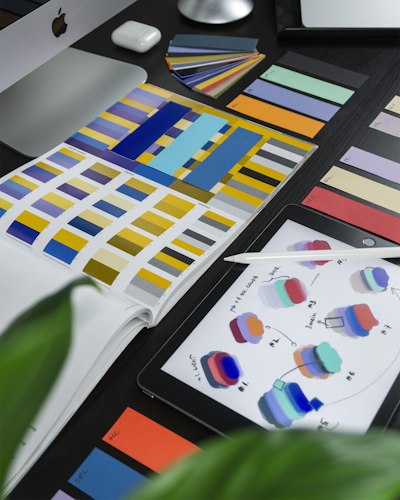
The workflow: Start with your brand personality. You're creating a fitness brand that feels energetic and approachable. Feed this into Canva AI's color generator with a description: "Generate a color palette for an energetic fitness brand. Include a primary red for energy, supporting neutrals, and accents for highlights. The palette should work on dark backgrounds (for video) and light backgrounds (for social). Show me options that feel professional but approachable." Canva generates 5-10 palette options. You pick the one that resonates, then lock those specific hex codes. Document them: Primary Red #DC2626, Dark Background #0A0808, Accent Orange #F97316. Any designer or tool using your brand now has a specific target.
What AI design tools work best for brand creation?
Canva AI is fastest for complete templates and color palettes. Midjourney excels at mood board generation and photography aesthetic definition. ChatGPT is best for voice guidelines and documentation. Most creators use all three: Canva for templates, Midjourney for mood, ChatGPT for writing. For the complete workflow, see our comparison of design tools.
Compare Design ToolsStep 2: AI for Typography Pairings That Match Your Brand
Typography carries meaning. A serif font feels formal and traditional. A sans-serif feels modern. A monospace feels technical. Your primary headline font and body font should complement each other and match your brand personality. Most creators pick font pairs manually, which is slow. AI can generate intelligent pairings in seconds.
The workflow: Describe your brand personality to ChatGPT: "I'm a [niche] creator building a brand style guide. My brand personality is [adjectives: professional, energetic, approachable, etc.]. I need a headline font and body font pair that matches this personality. The fonts should be web-safe and available in Google Fonts. For each font pair, explain why the combination works and show me where I'd use each font." ChatGPT generates 5-10 intelligent pairings with reasoning. Pick one, lock it, document it. Typical output: "Primary font: DM Sans for flexibility and modern feel. Secondary font: Space Mono for headlines to add personality and technical edge." Every team member now knows exactly which fonts to use.
Step 3: Midjourney for Defining Your Photography Aesthetic
Photography style is harder to define in words but critical for consistency. The photos you use set the visual tone of your brand. Professional photographers spend weeks developing a "signature look." With Midjourney, you can define this in 30 minutes. Midjourney can't take real photos, but it can generate mood boards that define the aesthetic you're aiming for, which you then use to brief actual photographers or purchase stock images that match.
The workflow: Create a detailed Midjourney prompt for your brand aesthetic: "Create a 4x4 mood board of photography styles for a [your niche] creator brand. The aesthetic should be [your adjectives: bright, minimalist, lifestyle, energetic]. Each image should show [specific scenario relevant to your niche]. The lighting should be [natural/studio/dramatic]. The color palette should match these hex codes: [your colors]. Style: high-quality photography, professional, consistent mood across all images." Midjourney generates a visual mood board showing exactly what your photography aesthetic should look like. Save this. Use it to brief photographers or when purchasing stock images. This single visual reference eliminates weeks of back-and-forth about what "professional photography" means to you.
Step 4: ChatGPT for Writing Your Brand Voice Guidelines
How you communicate through text is part of your brand. Your Instagram captions, video intros, email subjects, and CTAs should all sound like they're from the same person. Documenting this is usually ignored by creators but critical for team scaling. ChatGPT helps you articulate and document your voice in minutes.
The workflow: Describe your brand voice: "I'm creating voice guidelines for a [niche] creator brand. My communication style is [adjectives: conversational, witty, data-driven, storytelling-focused]. Write a one-page brand voice guide that includes: (1) Brand voice personality description (one paragraph), (2) 5 specific examples of how I phrase things, (3) 3 things I never say or do, (4) Guidelines for different contexts (Instagram, email, video intros, CTAs), (5) Tone spectrum (how casual vs. formal depending on context)." You get a complete voice guide that your team can reference. Example: "Your voice is conversational and data-driven. You share specific numbers. You use humor sparingly but effectively. In Instagram captions, you're casual. In emails, you're slightly more formal. You never use corporate jargon. You always focus on the viewer benefit, not your personal achievement."
Step 5: Building Your Template Library with Canva AI
Templates are where the rubber meets the road. A well-built template library means your team can produce consistent content in minutes instead of hours. Canva AI is perfect for this because it lets you create branded templates that lock in your colors, fonts, and layout decisions.
The templates you need: (1) YouTube thumbnail template — locked to your color palette, with space for text and images, (2) Instagram post template — vertical and carousel versions, (3) TikTok title card template — large text, your brand colors, (4) Newsletter header template — your colors and fonts, (5) Video graphics template — title cards, lower-thirds, end screens, (6) Social media story template — standard sizes with your brand identity, (7) Email template — header and footer locked to brand style.
The workflow: In Canva, create the first thumbnail template. Use your exact brand colors, fonts, and layout. Save it as a template. Any team member opening it now has the foundational design locked in — they only need to change the content (episode title, image). Create 5-10 variations of each template to provide options without losing consistency. Document the template library in your style guide with one-sentence instructions for each: "Use ThumbnailTemplate-Bold for high-energy episodes, ThumbnailTemplate-Minimal for educational content." Your team can now produce consistent content at scale.
Consistency Across Platforms: YouTube, Instagram, TikTok, Newsletter
The real test of a brand style guide is consistency across platforms. Each platform has different dimensions, technical requirements, and audience expectations. Your guide needs platform-specific guidance. YouTube: Thumbnails follow your color and typography rules. Your banner stays consistent. Video intros use your templates. Instagram: Grid aesthetics follow your color palette. Stories use your templates. Reels use your video graphics. TikTok: Different aspect ratios than YouTube, but use your color palette and fonts wherever possible. Newsletter: Header and template should match your other platforms.
The key is not forcing the same design across platforms (that would be bad UX), but ensuring recognizable visual elements across all. When someone sees your YouTube thumbnail, Instagram post, TikTok intro, and newsletter header in sequence, they should instantly recognize it's all from the same creator. The color palette, typography, and design philosophy create that recognition even when the layouts differ for platform requirements.
Sharing Your Brand Guide With Team Members
A brand style guide is only useful if your team actually uses it. The best creators create a one-page visual quick reference guide and a 5-10 page detailed guide. The quick reference lives in Slack or Notion, easy to access. The detailed guide is a PDF that goes through onboarding. New team members review both before starting. For designers and editors who work with your brand frequently, conduct a 30-minute walkthrough explaining the rationale behind each decision. This context makes the guide stick better than just handing someone a document.
Store your guide in a shared location (Notion, Google Drive, Figma) where team members can access templates and reference guidelines in real-time. Update it quarterly as your brand evolves. If you test a new color and it works better with your audience, update the guide. This keeps the guide living and relevant.
Common Brand Mistakes Creators Make (And How AI Catches Them)
Mistake 1: Too many colors. You pick 5+ primary colors and everything feels scattered. Fix: Start with 3 colors max (primary, secondary, accent). AI tools force this constraint. Mistake 2: Inconsistent fonts. Every video uses different fonts because you're not referencing templates. Fix: Lock fonts in templates. AI template tools (Canva, Figma) make this automatic. Mistake 3: Vague voice guidelines. You say "be conversational" but your team interprets it differently. Fix: Use ChatGPT to generate specific examples. "Conversational means you say 'Let me show you how to fix this' instead of 'This mechanism for optimization requires the following steps.'" Mistake 4: No photography aesthetic definition. Your photos look random because you've never defined your photography style. Fix: Create a Midjourney mood board showing exactly what you want. Mistake 5: Guides that don't scale. Your guide works for you but falls apart when someone else uses it. Fix: Test your templates and guidelines with a team member before finalizing. AI tools help surface ambiguity that needs clarification.